
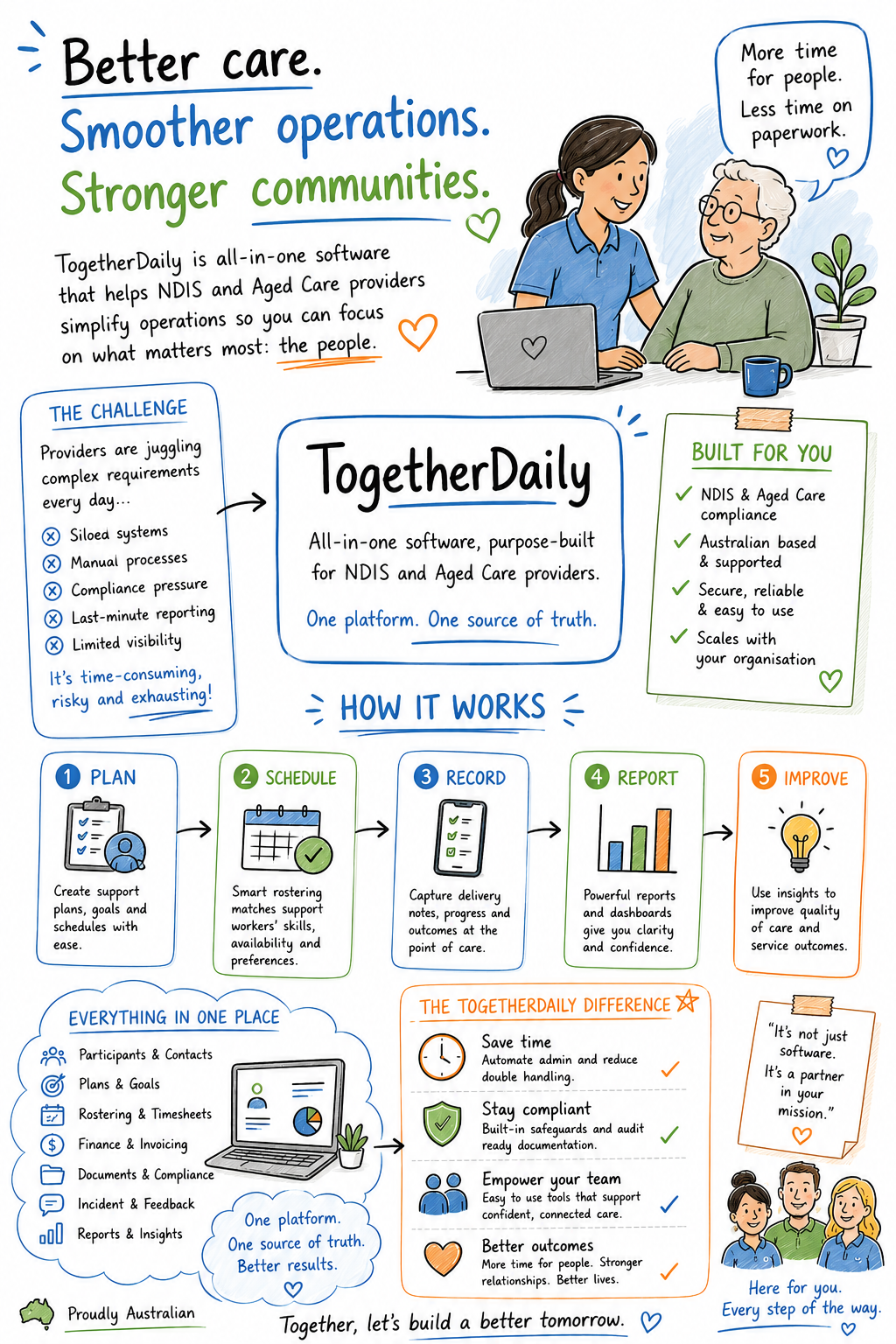
Choosing NDIS software for your provider organisation is one of the most important operational decisions you’ll make. The right platform can reduce administrative burden by 40-50%, improve compliance outcomes, and strengthen family trust. The wrong one wastes time, creates liability, and leaves your team frustrated.
In this guide, we’ll walk you through exactly what to look for in NDIS software for providers, the different types of solutions available, and how to match them to your organisation’s needs.
What the Right NDIS Software Does
Before evaluating specific platforms, understand the core problems NDIS software for providers should solve:
- Compliance without bureaucracy — Your organisation is liable for documentation, timelines, and incident reporting. Software should enforce this without creating extra work.
- Real-time visibility — Coordinators need to see what’s happening in the field right now, not after a 3-day delay.
- Quality assurance — Before families see anything, admins should be able to review, edit, and approve content.
- Family engagement — Families want updates and photos. Most providers default to email or WhatsApp—both risky and clunky.
- Worker burden reduction — Support workers already work long hours. Software should save time, not add to it.
The best NDIS software for providers addresses all five.
Key Features to Look for in NDIS Software
When evaluating NDIS software for providers, look for these non-negotiables:
1. Compliance Built In
- Automatic incident reporting templates (24-hour vs 5-day reporting distinctions)
- Audit trails with 7-year retention
- Role-based access control (workers see only their assigned clients)
- Evidence of NDIS Commission and Privacy Act compliance
- Integration with your NDIS plan data (if possible)
2. Approval Workflow
- Notes stay pending until an admin approves them
- Families never see unapproved content
- Admins can edit before publishing
- Escalation paths for flagged content
3. Real-Time Capture
- Mobile-first for workers in the field
- Works offline, syncs when online
- Photo and video uploads (not just text)
- Timestamp and geolocation capture for accountability
4. Risk Flagging
- Automatic highlighting of keywords (e.g., “injury”, “incident”, “unsafe”)
- Custom keyword library (your terms, your severity levels)
- Ranked triage queue for coordinators
- Context shown inline so you don’t have to re-read the whole note
5. Family-Safe Sharing
- Curated updates for families (not raw notes)
- Photo and video sharing with read receipts
- Privacy controls (who sees what)
- No messaging (keeps it focused on updates about their loved one)
6. Australian Data Residency
- Data stored in Australia (NDIS Commission and Privacy Act requirement)
- Not a checkbox—verify where data actually lives
- Clear data retention and deletion policies
Types of NDIS Software for Providers
There’s no one-size-fits-all NDIS software for providers. Solutions fall into categories:
Type 1: Communication Platforms (WhatsApp, Email, Generic messaging)
- Pros: Fast, familiar, cheap
- Cons: No compliance features, no approval workflow, families see unreviewed content, no audit trail, privacy risk
- Best for: Tiny teams (5-10 participants), low-risk settings
- Compliance risk: HIGH — not designed for NDIS accountability
Type 2: Documentation/Visit Logging (Spreadsheets, Jotform, Typeform)
- Pros: Flexible, customizable
- Cons: No real-time sync, no mobile offline capability, compliance features missing, no family dashboard
- Best for: One-person operations documenting retroactively
- Compliance risk: MEDIUM — manual, error-prone
Type 3: Specialist NDIS Platforms
- Pros: Built for NDIS compliance, approval workflow, real-time, mobile-first
- Cons: Steeper learning curve, more expensive, requires staff training
- Best for: Organisations with 10+ participants, regular audits, family expectations
- Compliance risk: LOW — designed to meet NDIS standards
Type 4: Enterprise Care Platforms
- Pros: Comprehensive, integrations with govt systems, goal tracking, advanced reporting
- Cons: Overbuilt for small-medium providers, complex, very expensive ($2,000-$5,000+/month)
- Best for: Large providers (500+ participants), government agencies
- Compliance risk: LOW — over-engineered for compliance
See our full comparison of NDIS software options for detailed feature breakdowns.
How to Choose: The Decision Framework
Step 1: Assess Your Organisation Size
- 1-30 participants: Type 1 or Type 3 specialist platform
- 30-150 participants: Type 3 specialist platform (essential at this scale)
- 150+ participants: Type 3 or Type 4 (if you have budget and integration needs)
Step 2: Audit Your Compliance Risk
Ask yourself:
- Have we been audited by the NDIS Commission? (If yes, use Type 3 minimum)
- Do we handle serious incidents? (If yes, Type 3 required)
- Do families expect real-time updates? (If yes, Type 3)
- Is our documentation currently paper-based or email? (If yes, urgent need for Type 3)
Read our guide to audit readiness to understand your compliance baseline.
Step 3: Evaluate Worker Experience
- Can workers log a visit in under 5 minutes on mobile?
- Does it work offline?
- Does the software do the analysis/writing (AI-assisted)?
- Or does it add to their workload?
Step 4: Check Pricing Against Your Budget
- WhatsApp/Email: $0 (hidden compliance cost: enormous)
- Spreadsheets: $50-200/month
- Specialist platforms: $300-2,000/month depending on participants
- Enterprise platforms: $2,000-10,000+/month
Tip: Calculate the cost of a single compliance breach ($50k+ fine + legal + reputation). A good NDIS software for providers at $500/month pays for itself in risk reduction alone. Check our pricing page for transparent costs with no hidden fees.
Common Mistakes When Choosing NDIS Software
- Choosing based on price alone — The cheapest option often costs the most in compliance risk and time waste
- Assuming general software (Asana, Monday, etc.) is “NDIS-ready” — They’re not. NDIS compliance requires specific features.
- Not testing with actual users — Get your support workers and coordinators to try it. If they resist using it, it won’t work.
- Ignoring family experience — If families don’t find value in the update feed, adoption dies.
- Choosing software that locks you in — Ask about data export, vendor lock-in, and migration options upfront.
What to Ask Vendors
When you’re evaluating a platform, ask:
- Compliance: “Show me your 7-year audit trail. Where is data stored? Do you have NDIS Commission sign-off?”
- Security: “What’s your data backup and disaster recovery plan? Have you passed a security audit?”
- Support: “Do you have phone support? What’s the response time for critical issues?”
- Pricing: “What’s included? Are there per-user or per-participant fees? What happens if I scale up?”
- Exit: “Can I export all my data? What’s your data retention policy if I leave?”
Case Study: What Good Looks Like
A specialist NDIS platform for providers should allow this workflow:
- 9:15 AM — Support worker arrives at client’s home, logs in on mobile
- 9:45 AM — Worker takes a photo, writes “Supported Jane with morning routine. She was engaged and independent. Photo shows her getting dressed.”
- 9:47 AM — AI rewrites this into: “Supported Jane with morning self-care routine. Jane dressed independently with verbal cueing for shirt selection. Mood engaged, responded well to conversation. Supports Jane’s goal of increasing independence.”
- 9:50 AM — Coordinator receives notification, reviews the note in 20 seconds, approves it
- 9:51 AM — Jane’s family sees the update on their phone with the photo attached
- End of day — Note is automatically logged against Jane’s NDIS plan, saved to the audit trail, and flagged if any risk keywords were present
Time savings: 10 minutes per note instead of 30. At 30 notes/week, that’s 5 hours saved per coordinator.
Compliance gain: Audit trail is automatic. No manual documentation. Zero chance of lost notes.
Recommendation: NDIS Software for Providers You Can Trust
Whatever platform you choose, it should meet these minimums:
✅ Approval workflow (admins control what families see)
✅ Mobile real-time capture (workers in the field)
✅ Automatic risk flagging (no incident gets missed)
✅ 7-year audit trail (compliance audits are easy)
✅ Australian data residency (Privacy Act compliant)
✅ Family dashboard (engagement without messaging)
If you’re currently using WhatsApp, email, or spreadsheets, upgrading to a specialist NDIS software for providers will be one of the highest-ROI decisions you make this year.
See what TogetherDaily’s platform can do for your organisation by checking out our full feature set.